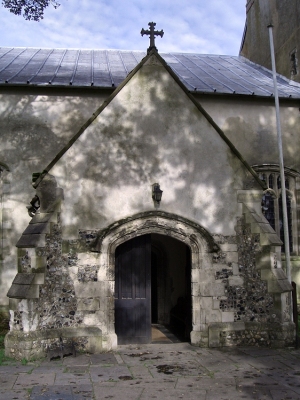
This web site allows you to see around the historical church of St. Lawrence, Alton, from your PC. However, there's no substitute for actually visiting it, if you can.
The site provides several methods by which you can access many pictures of the inside and outside of the
church. You choose which method you wish to use via the church pictures menu. Click on the 'Church Pictures Menu' link above to view the pictures menu. The menu
can be hidden again by clicking on the  icon in the menu window. Hiding the menu in this way allows a greater proportion of your screen to be used to display
the main page content, particularly the architectural plan view image, which is used in the 'virtual tour' pages.
icon in the menu window. Hiding the menu in this way allows a greater proportion of your screen to be used to display
the main page content, particularly the architectural plan view image, which is used in the 'virtual tour' pages.
The virtual tour pages are probably the most intuitive and efficient way of viewing the pictures, but they involve downloading a number of small (initially hidden) images and require a mouse pointer to interact with (so no good for tablets and phones). If you find that these pages are taking too long to load, try the 'list' pages; these should load more quickly.
The panorama page allows you to have the experience of turning on the spot, by scrolling left and right.
As mentioned above, the virtual tour pages show you an architectural plan view of the church, overlaid with
arrows, which indicate positions and angles from which pictures have been taken. Click on an arrow to see a small preview image.
If you want to see a full size version, click on the  icon in the preview image box. To close the preview image window, click on the icon in the preview image box.
Full size images load inside a completely empty black page, to maximise the viewing area of your screen. Once you've loaded a full size image and finished looking at it, you can return to the normal site view either by clicking your browser's 'back' button, or the 'back' link in the image view window.
This site is an ongoing project. If you have any problems with it, or any suggestions for additions or improvements, feel free to e-mail the webmaster!